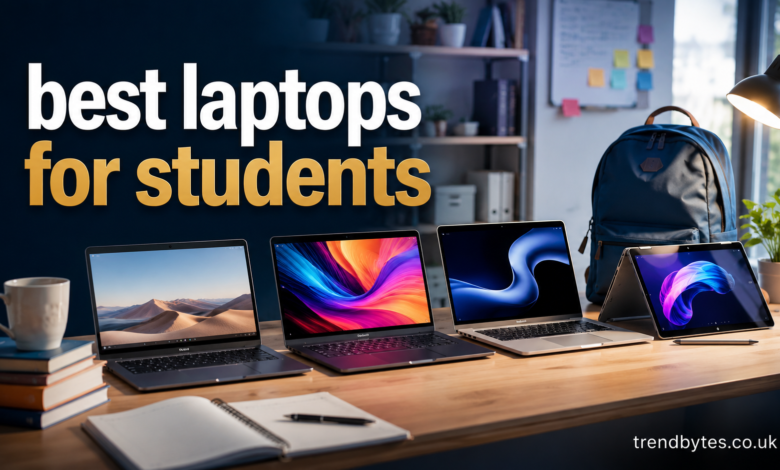
Finding the best laptops for students is not simply about buying the most powerful computer you can afford. Students need a laptop that balances performance, battery life, portability, durability, storage, and price.
The right choice also depends on what you study. A high school student who mainly uses Google Docs and attends online classes has very different needs from an engineering student running demanding software or a computer science student writing code.
In this guide, we will look at the most important features, suitable laptop types for different students, common mistakes to avoid, and practical tips for choosing a device that can handle your school or college workload.
What Makes the Best Laptops for Students?
A good student laptop should make everyday work easier rather than create additional problems.
For most students, the ideal machine should be fast enough for research, documents, presentations, video calls, web browsing, and multitasking. It should also be comfortable to carry between classes.
The most important features include:
- A modern processor
- At least 8GB of RAM
- 256GB SSD storage or more
- Good battery life
- A comfortable keyboard
- A clear display
- Reliable Wi-Fi
- A webcam and microphone
- A durable design
- A reasonable weight
- An operating system compatible with your school software
For students who can afford it, 16GB of RAM and 512GB of SSD storage provide a more comfortable long-term setup.
Best Laptop Types for Different Students
There is no single laptop that is perfect for everyone. Your major, workload, budget, and preferred software should determine what you buy.
Best Laptops for College Students
College students usually need a flexible all-purpose laptop.
A 13- to 15-inch laptop with a modern processor, 16GB of RAM, and a 512GB SSD is an excellent target for many students.
This combination is suitable for writing papers, researching online, attending virtual classes, creating presentations, managing spreadsheets, and running several applications at once.
Portability is also important because college students often carry their laptops between classrooms, libraries, cafés, and dorms.
Best Laptops for High School Students
High school students often have simpler computing needs.
A budget Windows laptop or Chromebook can be enough for assignments, web research, online learning, documents, presentations, and video meetings.
If the student mainly uses browser-based applications, there is little reason to spend heavily on high-end hardware.
However, parents should avoid extremely low-end configurations with very little RAM and storage. Saving money today is not useful if the laptop becomes frustratingly slow after a short period.
Best Laptops for Computer Science Students
Computer science students should think beyond basic schoolwork.
Programming environments, databases, virtual machines, development tools, local servers, and multiple browser windows can consume significant system resources.
For this reason, 16GB of RAM is a sensible target. A fast SSD is also useful because developers frequently install software packages, development environments, and project files.
A modern Intel, AMD, or Apple processor can work well, but students should check whether their university requires specific operating systems or applications.
Best Laptops for Engineering Students
Engineering students may need more performance than typical college students.
Software such as CAD applications, simulation tools, MATLAB, programming environments, and 3D applications can place greater demands on a laptop.
Before buying, check your department’s software requirements. Some engineering programs require Windows-specific applications, which can make a Windows laptop a safer choice.
For demanding 3D work, a dedicated graphics processor may also be worthwhile.
Best Laptops for Creative Students
Students studying photography, graphic design, animation, music production, or video editing should prioritize performance and display quality.
A powerful processor, 16GB or more of RAM, fast SSD storage, and a high-quality screen can make a significant difference.
Storage is particularly important for creative work because video, RAW photography, and design files can become very large.
If your budget allows, 1TB of storage can be much more practical than constantly moving files to external drives.
Key Specifications to Look For
Understanding laptop specifications can help you avoid paying for features you do not need.
Processor
The processor, or CPU, handles the majority of general computing tasks.
For everyday student work, a modern entry-level or mid-range processor is usually sufficient.
Students doing programming, content creation, engineering, or other demanding work should consider a stronger processor.
Do not choose a laptop solely because the processor name sounds impressive. Look at the complete configuration and intended workload.
RAM
RAM affects how comfortably your laptop can handle multiple applications at the same time.
For basic schoolwork, 8GB can work. However, 16GB is a better target for students who want smoother multitasking and a longer useful lifespan.
If you frequently keep dozens of browser tabs open while using documents, messaging applications, and other software, additional RAM can make a noticeable difference.
Storage
An SSD is strongly preferred over older mechanical hard drives because it provides faster startup times and quicker application loading.
A 256GB SSD can work for basic schoolwork, but 512GB is a more comfortable starting point.
Students working with large media files may benefit from 1TB or more.
Display
A good display is easy to overlook.
Since students may spend hours reading articles, writing assignments, watching lectures, and researching online, a clear screen can make long sessions more comfortable.
A Full HD or better resolution is a sensible starting point.
Screen size depends on your priorities. A 13- or 14-inch laptop is easier to carry, while a 15- or 16-inch display provides more workspace.
Battery Life
Battery life is one of the most important features for students.
A laptop that needs charging several times during the school day can quickly become inconvenient.
Real-world battery performance varies depending on brightness, applications, Wi-Fi use, video playback, and power settings. Therefore, do not rely only on a manufacturer’s maximum battery estimate.
Windows vs. macOS vs. ChromeOS
Your operating system can be just as important as the hardware.
Windows
Windows laptops offer a huge range of prices, sizes, processors, and configurations.
They are particularly useful for students whose courses require specialized Windows software.
Windows is also a strong choice for gaming and many technical applications.
macOS
Mac laptops are popular among students who value portability, battery efficiency, build quality, and integration with other Apple devices.
They can be excellent for writing, research, programming, creative work, and general productivity.
However, students should check software compatibility before choosing a Mac, especially if their school requires Windows-only applications.
ChromeOS
Chromebooks can be excellent for students who mainly use web-based services.
They are often simple to manage and work well for browser-based assignments, Google Workspace, online classes, email, and general web use.
However, ChromeOS is not the best option for every major. Specialized desktop applications may not work the same way as they do on Windows or macOS.
How Much Should a Student Spend on a Laptop?
Your budget should reflect your actual workload.
A basic student laptop can be suitable for web browsing, documents, email, presentations, and online learning.
A mid-range laptop is often the best balance for university students because it provides enough performance for multitasking without paying for unnecessary high-end features.
Premium laptops make more sense when you need excellent displays, very long battery life, powerful processors, premium construction, or specialized creative performance.
Instead of asking, “What is the cheapest laptop I can buy?” ask, “What laptop will comfortably handle my workload for several years?”
That change in thinking can help prevent a poor purchase.
Best Laptops for Students on a Budget
Budget students should prioritize the essentials.
Look for:
- 8GB or preferably 16GB RAM
- SSD storage
- A modern processor
- Full HD display
- Good keyboard
- Reliable wireless connectivity
- Reasonable battery life
Avoid spending money on unnecessary extras such as extremely high refresh rates or dedicated graphics if you only need the laptop for coursework.
A well-balanced budget laptop is usually better than a flashy machine with one excellent feature and several weak components.
Best Laptops for Students Who Want Portability
If you carry your laptop every day, weight matters.
A lightweight 13- or 14-inch laptop can be easier to carry than a large 16-inch model.
However, do not sacrifice keyboard comfort, battery life, or performance simply to save a few hundred grams.
For many students, a 14-inch laptop provides an excellent middle ground between portability and screen space.
Best Laptops for Students Who Game
Gaming students have different priorities.
A gaming laptop generally needs a dedicated GPU, a capable processor, adequate cooling, and enough RAM.
However, gaming laptops tend to be heavier and may have shorter battery life than thin-and-light student laptops.
If gaming is only an occasional hobby, you may be better off buying a balanced student laptop and using another device for demanding games.
If gaming is a major part of your routine, a performance-oriented Windows laptop can make more sense.
Practical Example: Choosing the Right Laptop
Imagine three students.
The first student studies English and mainly writes essays, researches online, and attends video classes. A lightweight laptop with 8GB or 16GB RAM and a 256GB or 512GB SSD would likely be enough.
The second student studies computer science and regularly uses development tools, databases, and multiple applications. A laptop with 16GB RAM and 512GB SSD storage would be a better target.
The third student studies architecture and uses 3D design software. This student may need a stronger processor, dedicated graphics, more RAM, and additional storage.
The lesson is simple: buy for your workload, not someone else’s.
Expert Tips for Buying a Student Laptop
Before purchasing, make a short list of the software you expect to use during your degree.
Then check the recommended system requirements for those applications.
Also consider how long you want the laptop to last. A configuration that is barely sufficient today may feel restrictive after a few years.
Another useful tip is to prioritize components that are difficult or impossible to upgrade. If the RAM is soldered, for example, choosing enough memory at purchase becomes especially important.
Finally, check the warranty and service options available in your area.
Common Laptop Buying Mistakes Students Make
Buying Too Little RAM
A very low-memory configuration can become frustrating when multitasking.
Choosing Storage Based Only on Price
A small SSD may seem sufficient initially, but applications, downloads, photos, and coursework can quickly consume available space.
Ignoring Software Requirements
This is one of the biggest mistakes. A laptop can have excellent hardware and still be unsuitable if required academic software does not support its operating system.
Buying a Gaming Laptop for Basic Coursework
Gaming hardware can be useful, but it often adds weight, cost, heat, and power consumption.
Choosing Based Only on Appearance
A beautiful laptop is not automatically a good student laptop. Performance, keyboard quality, battery life, durability, and software compatibility matter more.
Forgetting the Keyboard and Trackpad
Students write a lot. A poor keyboard can become one of the most noticeable problems after weeks of daily use.
How to Make Your Student Laptop Last Longer
Once you buy a laptop, proper care can extend its useful life.
Keep the operating system and applications updated. Avoid blocking ventilation openings, especially on performance laptops.
Use a protective sleeve when carrying the device around campus.
Keep important assignments backed up using cloud storage or an external drive.
Also avoid filling the SSD completely. Leaving reasonable free space can help maintain a smooth experience.
If the laptop becomes unusually hot, slow, or unstable, investigate the cause rather than ignoring the problem.
People Also Ask About the Best Laptops for Students
What is the best laptop for a student?
The best laptop depends on the student’s major, budget, software requirements, and portability needs. For general coursework, a modern processor, 16GB RAM, 512GB SSD, and good battery life provide a strong balance.
Is 8GB RAM enough for a student laptop?
8GB can handle basic schoolwork, browsing, documents, and video calls. However, 16GB is a better choice for students who multitask heavily or want more room for future applications.
Is a MacBook good for college students?
A MacBook can be an excellent college laptop for many students because of its portability, performance, battery efficiency, and build quality. However, students should confirm that their required academic software works with macOS.
Are Chromebooks good for students?
Chromebooks can be excellent for students who primarily use browser-based applications, online learning platforms, and Google Workspace. They may be less suitable for majors requiring specialized desktop software.
How much storage does a student need?
For general coursework, 256GB can work, but 512GB is a more comfortable choice. Students working with videos, photography, engineering files, or other large projects may want 1TB or more.
What laptop is best for computer science students?
Computer science students should prioritize a capable processor, 16GB of RAM, fast SSD storage, comfortable keyboard, and compatibility with their development tools. A Windows, macOS, or Linux-capable system may work depending on the program.
Should students buy a gaming laptop?
Only if gaming or demanding graphics work is an important part of their needs. Gaming laptops can provide strong performance but are usually heavier and less portable than standard student laptops.
How long should a student laptop last?
A well-chosen laptop can remain useful for several years, although the exact lifespan depends on hardware quality, workload, maintenance, and software requirements. Buying slightly more capable hardware can help extend its useful life.
Final Thoughts on the Best Laptops for Students
Choosing the best laptops for students starts with understanding what you actually need. A student writing papers and attending online classes does not need the same machine as someone studying engineering, computer science, design, or video production.
For most students, prioritize a modern processor, at least 8GB of RAM, SSD storage, dependable battery life, a comfortable keyboard, and a clear display. If your budget permits, 16GB RAM and 512GB SSD storage offer a stronger long-term balance.
Most importantly, check your academic software requirements before buying. The right laptop is not necessarily the most expensive or powerful model. It is the one that fits your coursework, budget, lifestyle, and future needs without unnecessary compromises.