Android Automotive: Complete Guide to Features, Benefits, Apps, and Future

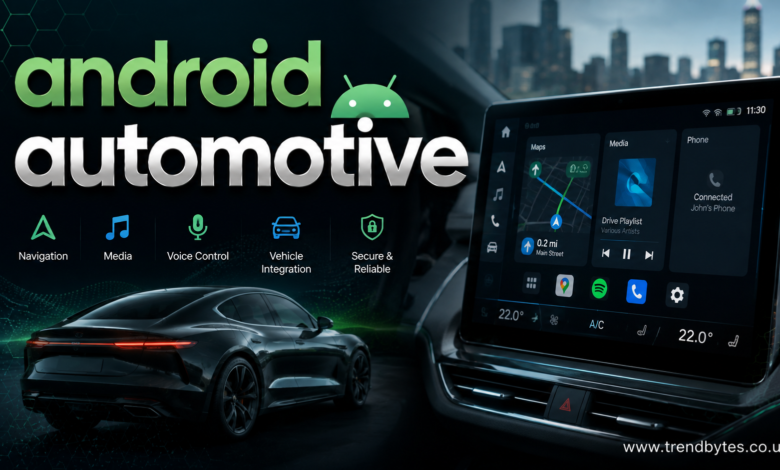
Android Automotive is changing how drivers interact with technology inside modern vehicles. Unlike a phone-based system that simply projects a smartphone onto a vehicle display, Android Automotive is designed to operate directly from the vehicle’s built-in infotainment system.
That difference matters because it allows automakers to integrate navigation, media, voice controls, vehicle settings, and other connected features into a single in-car experience.
As vehicles become more software-driven, understanding Android Automotive can help buyers, developers, and automotive technology enthusiasts understand where in-car infotainment is heading.
This guide explains what Android Automotive is, how it works, its major features, benefits, limitations, apps, security considerations, and what drivers should know before choosing a vehicle that uses it.
What Is Android Automotive?
Android Automotive is an operating system designed specifically for vehicles.
It is based on the Android platform but is built to run directly on compatible vehicle hardware. This means the vehicle can use Android Automotive without requiring a smartphone to provide the main operating system.
The system can power functions such as:
- Infotainment
- Navigation
- Music and podcasts
- Voice commands
- Phone-related functions
- Vehicle settings
- Climate controls
- Connected services
- App experiences
- Digital displays
Android Automotive should not be confused with Android Auto.
Android Auto is a system that allows compatible Android phones to provide a driving-friendly interface through a vehicle’s display. Android Automotive, by contrast, is integrated into the vehicle itself.
Android Automotive vs. Android Auto
This is one of the most common points of confusion.
Android Automotive
Android Automotive runs directly on the vehicle’s infotainment hardware.
The vehicle manufacturer can customize the interface and integrate the operating system with vehicle functions.
Depending on the vehicle and configuration, drivers may be able to use navigation, media, voice features, settings, and supported applications without connecting a phone.
Android Auto
Android Auto works as a smartphone-based interface.
A compatible phone connects to a compatible vehicle display, allowing supported apps and functions to appear in a driving-optimized interface.
In simple terms:
Android Automotive = operating system built into the vehicle.
Android Auto = phone-powered interface displayed in the vehicle.
A vehicle can potentially support Android Automotive while also offering Android Auto, depending on the automaker and vehicle configuration.
How Android Automotive Works
Android Automotive combines software, vehicle hardware, connectivity, and automaker-specific systems.
The operating system runs on the vehicle’s computing hardware and communicates with other vehicle systems through approved interfaces.
This allows automakers to create a more integrated experience.
For example, instead of treating the infotainment screen as a separate device, a manufacturer can connect software experiences with vehicle functions such as climate control, charging information, driving modes, and other settings.
The exact capabilities vary between vehicles.
That is important because Android Automotive does not mean every vehicle provides the same interface or features.
Automakers can customize the system and determine which vehicle functions and applications are available.
Key Features of Android Automotive
Built-In Navigation
Navigation is one of the most useful features of an integrated infotainment platform.
Drivers can access maps and directions through the vehicle’s display and voice interface.
Depending on the implementation, navigation can also interact with vehicle information.
For an electric vehicle, for example, navigation may be designed to help drivers consider charging stops during longer journeys.
Voice Controls
Voice interaction allows drivers to perform certain tasks without repeatedly touching the screen.
Commands can be used for supported functions such as:
- Finding destinations
- Starting navigation
- Playing music
- Adjusting certain settings
- Asking questions
- Controlling supported applications
Voice controls can improve convenience, although drivers should still remain focused on the road.
Media and Entertainment
Android Automotive can provide access to supported media applications through the vehicle’s infotainment system.
Depending on the vehicle and market, drivers may have access to music, podcasts, audiobooks, and other audio services.
Apps designed for vehicles generally need to follow automotive usability and safety requirements.
Vehicle Controls
One of the biggest differences between a standard tablet-style Android device and Android Automotive is its potential connection with vehicle systems.
In supported implementations, the platform can provide interfaces for functions such as climate controls and vehicle information.
However, safety-critical vehicle functions are controlled according to the automaker’s system architecture and safety requirements.
Benefits of Android Automotive
Android Automotive offers several potential benefits for drivers and automakers.
A More Integrated Experience
Because the operating system is built into the vehicle, the infotainment experience can be more deeply integrated with the car.
Drivers do not have to rely entirely on a smartphone for core infotainment functions.
Familiar Technology
People who already use Android devices may find the general interface and ecosystem familiar.
That familiarity can reduce the learning curve when moving between devices and the vehicle.
Better Software Flexibility
Software-based vehicle platforms can make it easier for automakers to introduce new features over time.
Depending on the manufacturer, software updates may improve functionality without requiring a complete hardware replacement.
More Connected Vehicles
Modern vehicles are becoming increasingly connected.
An integrated operating system can help manage interactions between apps, online services, vehicle information, and user preferences.
Android Automotive for Electric Vehicles
Android Automotive can be particularly useful in electric vehicles because EVs depend heavily on software.
Electric vehicle drivers often need information about:
- Battery percentage
- Estimated range
- Charging locations
- Energy consumption
- Charging status
- Route planning
- Temperature management
An integrated infotainment platform can bring these elements into a more unified interface.
For example, navigation can be connected with information about charging stops where supported by the vehicle’s software.
This can make long-distance EV travel easier to manage.
Android Automotive Apps
Apps for vehicles are different from ordinary smartphone applications.
A driver should not need to interact with complicated interfaces while moving.
For this reason, automotive app experiences generally prioritize simplified controls, large touch targets, voice interaction, and limited distractions.
Supported categories can include:
- Navigation
- Media
- Communication
- Weather
- Charging
- Parking
- Productivity-related information
- Other driving-focused services
Availability depends on the vehicle, country, software version, and app developer.
Not every Android phone application can simply be installed and used in a vehicle.
Android Automotive for Automakers
Automakers can benefit from using an established automotive operating platform instead of building every software layer independently.
However, adopting an operating system does not mean giving up all control over the vehicle experience.
Manufacturers can customize the interface, branding, available features, and integration with vehicle systems.
This can help automakers create a unique user experience while still using a broader software ecosystem.
For manufacturers, the key challenge is balancing flexibility with safety, reliability, privacy, security, and long-term software support.
Android Automotive Security and Privacy
Connected vehicles create new security and privacy considerations.
A vehicle infotainment system can process information related to accounts, locations, preferences, connected devices, and other user data.
Strong security practices are therefore essential.
Drivers should:
- Keep vehicle software updated
- Use strong account credentials
- Review connected-device permissions
- Remove personal accounts before selling a vehicle
- Avoid connecting unknown devices
- Review privacy settings
- Use trusted applications and services
Automakers and software providers also need to maintain secure update systems and protect communication between vehicle components.
Common Android Automotive Limitations
Although Android Automotive has many advantages, it is not perfect.
Feature Differences Between Vehicles
Two vehicles can use Android Automotive but offer different features.
The automaker controls much of the implementation, so buyers should not assume every Android Automotive vehicle works exactly the same way.
App Availability
The availability of applications depends on compatibility and manufacturer decisions.
A favorite smartphone application may not necessarily be available in the vehicle.
Software Dependence
Modern infotainment systems depend heavily on software.
Software bugs, connectivity problems, outdated applications, or update issues can affect the user experience.
Learning Curve
Some drivers may need time to understand the interface, especially when vehicle controls and digital services are deeply integrated.
Common Mistakes Buyers Make
Assuming Android Automotive and Android Auto Are the Same
They are related but serve different purposes.
Always check which system a vehicle actually uses.
Assuming Every Android Automotive Vehicle Has Identical Features
Implementation differs between manufacturers and models.
Review the exact vehicle specifications before purchasing.
Ignoring Software Support
A vehicle is a long-term purchase.
Ask how the manufacturer handles software updates, feature improvements, and long-term support.
Focusing Only on Screen Size
A larger display does not automatically mean a better infotainment system.
Consider usability, responsiveness, navigation, voice controls, connectivity, and integration with vehicle functions.
Expert Tips for Choosing an Android Automotive Vehicle
If you are considering a vehicle with Android Automotive, test the system before buying.
Try the navigation interface, voice commands, audio controls, climate interface, smartphone connectivity, and other features you expect to use regularly.
Also check whether the vehicle supports the applications and services that matter most to you.
For EV buyers, pay particular attention to route planning and charging-related features.
Finally, ask about software updates. A good infotainment system should not only work well when the vehicle is new; it should remain useful as the vehicle ages.
The Future of Android Automotive
The role of software in vehicles is likely to continue growing.
Cars are becoming connected platforms with advanced displays, voice interfaces, digital services, driver-assistance systems, and increasingly sophisticated computing systems.
Android Automotive may play an important role in this shift.
Future developments could include better personalization, improved voice interaction, more advanced EV route planning, stronger integration with connected services, and broader application support.
At the same time, automakers will need to address cybersecurity, privacy, distraction, reliability, and software lifecycle management.
The most successful automotive software platforms will likely be those that make technology feel useful without making driving unnecessarily complicated.
People Also Ask About Android Automotive
What is Android Automotive used for?
Android Automotive is used as an operating system for vehicle infotainment and connected features. Depending on the vehicle, it can support navigation, media, voice interaction, vehicle settings, and other digital services.
Is Android Automotive the same as Android Auto?
No. Android Automotive runs directly on compatible vehicle hardware, while Android Auto uses a compatible smartphone to provide a driving-focused interface through the vehicle’s display.
Do you need a phone for Android Automotive?
Not necessarily. Android Automotive is designed to run directly in the vehicle. However, some features and services may still benefit from a smartphone or internet connection depending on the vehicle.
Can Android Automotive run apps?
Yes, compatible vehicles can support automotive applications. However, app availability is controlled by compatibility requirements, the vehicle manufacturer, market availability, and other factors.
Is Android Automotive good for electric vehicles?
It can be especially useful for EVs because integrated software can support navigation, charging information, battery data, and other vehicle-specific features.
Can automakers customize Android Automotive?
Yes. Automakers can customize the user interface and integrate the platform with their own vehicle systems and brand experience.
Is Android Automotive safe?
The platform is designed for automotive use, but safety depends on the vehicle’s implementation, software design, driver behavior, and how applications are integrated. Drivers should avoid unnecessary interaction while driving.
Will Android Automotive replace Android Auto?
Not necessarily. They serve different purposes, and availability depends on automakers, vehicles, software strategies, and consumer needs. Some vehicles may support both.
Conclusion
Android Automotive represents an important shift in how software is integrated into modern vehicles. Instead of relying entirely on a smartphone for the infotainment experience, the operating system can run directly inside the vehicle and connect with navigation, media, voice controls, vehicle settings, and other digital services.
Its biggest strengths are integration, software flexibility, and the potential for a more connected driving experience. However, the actual experience depends heavily on the automaker, vehicle model, available applications, software support, and hardware.
For buyers, the smartest approach is to evaluate the exact implementation rather than choosing a vehicle simply because it advertises Android Automotive. Test the interface, check app compatibility, explore connectivity options, and understand the manufacturer’s software update strategy.
As vehicles become more software-driven, Android Automotive is likely to remain an important part of the connected-car ecosystem, particularly as automakers continue developing smarter, more personalized, and increasingly digital driving experiences.