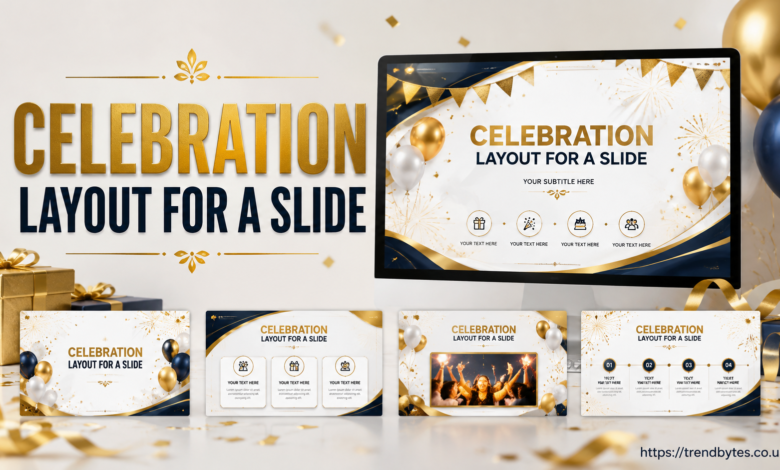
Creating the perfect celebration layout for a slide can transform an ordinary presentation into a memorable visual experience. Whether you’re preparing a birthday presentation, graduation slideshow, company achievement report, wedding announcement, award ceremony, holiday event, or school project, a well-designed slide can immediately capture attention and create excitement.
A celebration-themed slide should balance creativity, readability, and visual appeal. Colors, fonts, images, spacing, and animations should work together to communicate the message clearly without overwhelming the audience.
In this complete guide, you’ll learn how to design an impressive celebration layout, avoid common mistakes, and create presentations that leave a lasting impression.
Why a Great Celebration Slide Matters
Celebrations are emotional experiences. A thoughtfully designed slide helps create the right atmosphere and encourages viewers to connect with the message.
Whether the celebration is personal or professional, the presentation should reflect the importance of the occasion.
Some common examples include:
- Birthday presentations
- Wedding slideshows
- Graduation ceremonies
- Business milestone presentations
- Employee recognition events
- Anniversary celebrations
- Holiday-themed events
A well-organized slide design improves readability while making the overall presentation more engaging.
Essential Elements of a Celebration Layout for a Slide
Every successful celebration slide contains a few key components that work together to create a polished appearance.
Background Design
The background establishes the mood of the presentation.
Popular options include:
- Gold and black themes
- White and silver designs
- Soft pastel colors
- Confetti patterns
- Fireworks illustrations
- Floral arrangements
- Balloon decorations
Avoid backgrounds that are overly busy, as they can distract viewers from the main message.
Typography
Fonts play a major role in presentation design.
Consider combining two font styles:
- A bold headline font
- A clean, readable body font
Elegant typography helps emphasize the importance of the occasion.
Images and Graphics
Visual elements make presentations more memorable.
You might include:
- High-quality photographs
- Decorative ribbons
- Sparkling effects
- Abstract designs
- Celebration icons
Always use images that match the overall theme.
Color Selection
Colors influence emotions and determine how the audience experiences the presentation.
Popular combinations include:
| Theme | Suggested Colors |
|---|---|
| Luxury | Gold, black, and white |
| Corporate | Blue, silver, and gray |
| Birthday | Yellow, pink, and purple |
| Graduation | Navy blue, white, and gold |
| Wedding | Ivory, rose gold, and beige |
How to Create the Perfect Celebration Layout for a Slide
Planning the structure before adding decorative elements saves time and produces better results.
Step 1: Choose a Central Focus
Every slide should communicate one primary idea.
This could be:
- A person’s name
- An achievement
- An event title
- A memorable photograph
- A company milestone
Too many focal points create confusion.
Step 2: Divide the Slide into Sections
Professional designers often divide slides into several visual areas.
These sections may include:
- The title area
- The image section
- Supporting information
- Decorative elements
- Contact information
This approach improves organization and visual balance.
Step 3: Use White Space Effectively
Many beginners attempt to fill every empty space.
However, white space creates visual harmony and allows important information to stand out.
Step 4: Maintain Consistency
Consistency helps audiences remain focused.
Maintain uniformity in:
- Font sizes
- Colors
- Image styles
- Shapes
- Alignment
Consistency creates a polished and professional appearance.
Celebration Layout for a Slide Ideas for Different Occasions
Every celebration requires a slightly different design approach.
Birthday Celebration Slides
Birthday presentations often include:
- Bright colors
- Balloons
- Confetti
- Decorative lettering
- Personal photographs
A large headline positioned at the center typically works well.
Wedding Celebration Slides
Wedding presentations generally emphasize elegance and simplicity.
Common design elements include:
- Floral decorations
- Soft lighting effects
- Gold borders
- Romantic typography
Neutral colors often create a sophisticated atmosphere.
Graduation Celebration Slides
Graduation presentations frequently incorporate:
- Academic symbols
- School colors
- Achievement highlights
- Inspirational quotes
Clean layouts are especially effective for formal events.
Corporate Celebration Slides
Organizations often use celebration presentations to recognize accomplishments.
These slides may showcase:
- Revenue milestones
- Employee achievements
- Project successes
- Company anniversaries
A professional appearance remains essential.
Best Layout Structures for Celebration Slides
The following arrangements are among the most popular options.
Full-Screen Layout
This layout uses a single image as the primary focus.
Advantages include:
- Maximum visual impact
- Clean appearance
- Easy readability
Split Layout
The slide is divided into two sections.
Typically, one side contains text while the other displays images.
This arrangement works well for professional presentations.
Grid Layout
Grid layouts organize information into multiple sections.
They are ideal for:
- Event highlights
- Photo collections
- Award presentations
Centered Layout
This approach places the headline in the center of the slide.
Decorative elements surround the main content.
Many designers prefer this structure because of its simplicity.
Expert Tips for Creating an Attractive Celebration Slide
Professionals often rely on several proven techniques.
Use High-Quality Images
Low-resolution photographs can negatively affect the overall appearance.
Always select clear, sharp images.
Limit the Number of Colors
Too many colors create unnecessary distractions.
Using three primary colors usually produces the best results.
Apply Subtle Animations
Animations should enhance the presentation rather than dominate it.
Smooth transitions often create a more refined experience.
Highlight Important Information
Bold text, larger fonts, and contrasting colors help direct attention toward the most significant details.
Common Mistakes to Avoid
Even experienced designers occasionally make mistakes.
Overloading the Slide
Adding too many elements reduces readability.
Keep the layout clean and organized.
Using Difficult Fonts
Stylish fonts may appear attractive, but complicated designs can be difficult to read.
Clarity should always remain a priority.
Choosing Inconsistent Colors
Random color combinations weaken the visual identity of the presentation.
Select a cohesive palette.
Ignoring Visual Balance
Objects should be distributed evenly across the slide.
A balanced design appears more professional.
Best Tools for Designing Celebration Slides
Many presentation programs include built-in templates and design features.
Popular choices include:
- Microsoft PowerPoint
- Google Slides
- Canva
- Keynote
- Adobe Express
Each platform offers unique design capabilities.
People Also Ask
What is the best celebration layout for a slide?
The ideal layout depends on the event, but centered designs, split layouts, and full-screen image layouts remain popular choices.
Which colors work best for celebration slides?
Gold, white, silver, blue, pink, and purple are frequently used because they create an energetic and elegant appearance.
How many images should I include on a slide?
Most designers recommend using one to three high-quality images to maintain a clean layout.
Should I add animations to celebration slides?
Yes, but animations should remain subtle and purposeful.
Which font style is best for celebration presentations?
Bold, modern, and easy-to-read fonts generally produce the best results.
How can I make my celebration slide more attractive?
Use consistent colors, professional typography, high-quality images, and adequate spacing.
What size should presentation images be?
High-resolution images ensure excellent quality on both large screens and mobile devices.
Can I use templates for celebration slides?
Absolutely. Templates save time and provide a strong starting point for customization.
Conclusion
Designing an outstanding celebration layout for a slide requires a balance of creativity, organization, and attention to detail. A carefully planned layout helps your audience focus on the message while creating an enjoyable and memorable experience.
By selecting the right colors, typography, images, and overall structure, you can create presentations that look polished, professional, and visually engaging. Whether you’re celebrating a birthday, wedding, graduation, or corporate achievement, the right celebration layout for a slide can make all the difference.