Finger Skate Tech Deck Pro: The Complete Guide to Better Tricks

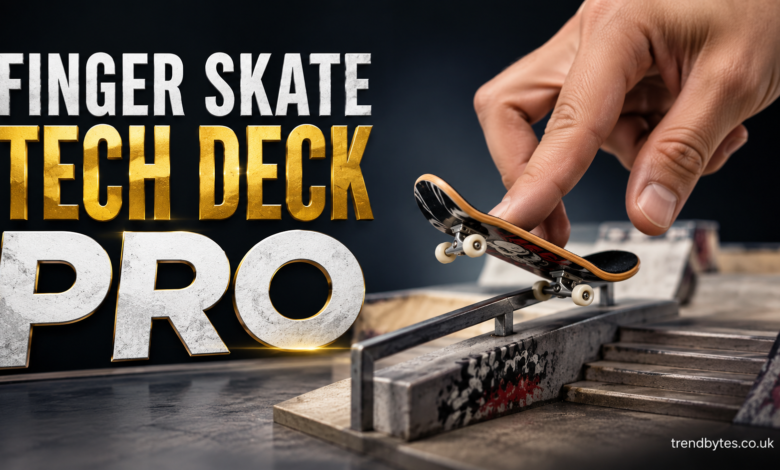
If you enjoy miniature skateboards, learning tricks, or collecting skate-themed gear, a finger skate tech deck pro can turn a simple desk toy into a fun skill-based hobby. Finger skating, often called fingerboarding, uses a small skateboard that you control with your fingers instead of your feet.
The basic idea is easy to understand, but mastering tricks takes timing, control, and practice. Whether you are buying your first setup or trying to improve your ollies, flips, and grinds, the right technique makes a noticeable difference.
This guide explains what to look for, how to set up your board, which tricks to learn first, and how to build better finger control without making practice frustrating.
What Is a Finger Skate Tech Deck Pro?
A finger skate Tech Deck Pro is a miniature skateboard designed for fingerboarding. It usually has a small deck, trucks, wheels, and grip surface that allow you to perform many of the same movements seen in traditional skateboarding.
The key difference is scale. Instead of standing on a full-size skateboard, you use your index and middle fingers to control the miniature board.
Tech Deck is well known for bringing realistic skateboard designs and fingerboarding to a broad audience. For beginners, these boards offer an accessible way to learn the basics without needing a skate park or large practice area.
More advanced fingerboard setups can also feature upgraded trucks, wheels, bearings, and decks designed for more precise control.
Why Fingerboarding Is More Than a Desk Toy
At first glance, fingerboarding may look like a simple collectible hobby. However, it involves genuine hand-eye coordination and precise timing.
A basic ollie requires you to coordinate pressure on the tail with movement from your fingers. Once you start learning kickflips, heelflips, manuals, and grinds, small differences in finger position can completely change the result.
There is also a creative side to the hobby. You can build miniature ramps, rails, ledges, and obstacles to create your own fingerboard park.
For many people, that combination of collecting, customization, and skill development is what makes fingerboarding enjoyable over the long term.
Choosing the Right Finger Skate Tech Deck Pro
Before buying a setup, think about how you plan to use it.
A beginner who mainly wants to learn basic tricks does not necessarily need an expensive professional-style setup. Someone who already has experience may appreciate better components and more precise tuning.
Focus on the Deck
The deck is the main platform of the board. Its length, width, shape, concave, and construction can affect how it feels under your fingers.
A slightly wider deck can provide more room for finger placement, which may be helpful when learning tricks. A narrower deck can feel quicker and more responsive.
The most important factor is comfort. If the board feels natural under your fingers, you are more likely to practice consistently.
Check the Trucks and Wheels
Trucks connect the wheels to the deck and influence turning and stability.
Wheels also matter because their shape and material can affect how smoothly the board rolls across a surface.
For beginners, consistency is usually more important than chasing premium specifications. A board that rolls reliably and stays together properly gives you a better foundation for learning.
Consider Grip
Grip tape or another textured surface helps your fingers maintain control of the deck.
Good grip makes it easier to keep your fingers in position during tricks. However, extremely aggressive grip can make some movements feel less comfortable.
Choose a setup that gives you control without making finger movement unnecessarily difficult.
How to Hold a Finger Skateboard Correctly
Your finger position is one of the first things to fix if your tricks are inconsistent.
Place your index finger around the front portion of the deck and your middle finger near the tail. Keep your fingers relaxed rather than pressing down excessively.
Avoid using your entire hand. Fingerboarding depends on small, controlled movements.
Start by rolling the board slowly across a smooth surface. Practice steering, stopping, and changing direction before attempting complicated tricks.
Once basic movement feels natural, begin practicing small pops.
How to Do Your First Ollie
The ollie is one of the most important fingerboarding tricks because many advanced tricks build on the same movement.
Start with your index finger toward the front of the board and your middle finger over the tail.
Press the tail downward with your middle finger while moving your hand slightly upward. As the nose rises, guide the board forward with your index finger.
The goal is not to make the board jump extremely high. Focus first on getting the board to lift evenly and land under your fingers.
Practice small ollies repeatedly. Once you can land them consistently, gradually increase the height.
Finger Skate Tech Deck Pro Tricks to Learn Next
After you understand the ollie, you can start building a basic trick progression.
Start With Manuals
A manual involves balancing on two wheels while keeping the other end of the board raised.
It teaches balance and finger control. Try holding a manual for just a second at first.
As your control improves, increase the distance rather than immediately trying to hold the position for a long time.
Learn a Pop Shove-It
The pop shove-it teaches you to control the board while it rotates beneath your fingers.
Pop the tail while using a controlled sideways movement to encourage the board to rotate. Keep your fingers close enough to catch the deck after the rotation.
The most common beginner problem is using too much force. A smaller movement often produces a cleaner rotation.
Move to Kickflips
Kickflips require more timing because the board needs to rotate along its length.
Start with a reliable ollie before working seriously on kickflips. Then practice creating a controlled flick with your front finger.
Do not worry about landing every attempt. Instead, focus on making the board rotate consistently.
Once the rotation becomes predictable, catching and landing the trick becomes much easier.
Build a Simple Fingerboarding Practice Area
You do not need a large setup to practice effectively.
A smooth desk or table can work well for basic tricks. Add a small rail or ledge when you want to practice grinds and slides.
A useful beginner setup might include:
- A smooth practice surface
- One miniature rail
- One ledge
- A small ramp
- A few obstacles for lines and combinations
Keep obstacles spaced far enough apart that you can approach them comfortably.
You can also create simple DIY obstacles from safe household materials. The goal is to create repeatable practice situations rather than fill the entire area with ramps.
Expert Tips for Better Fingerboarding
One of the best ways to improve is to slow down.
Beginners often try to perform tricks as quickly as possible. However, slower practice makes it easier to understand what your fingers are actually doing.
Record your attempts if you have trouble identifying the problem. Watching a failed trick can reveal whether you are popping too hard, flicking too early, or losing control during the landing.
Another useful technique is to practice one movement at a time.
For example, spend several minutes working only on the pop of an ollie. Then work on leveling the board. Finally, focus on landing.
Breaking a complicated trick into smaller movements can make progress much faster.
Common Fingerboarding Mistakes to Avoid
Using Too Much Force
More force does not automatically mean a higher or better trick.
Excessive pressure can send the board in an unpredictable direction. Use small, controlled movements instead.
Practicing Only Difficult Tricks
Trying a kickflip for an hour without success can become frustrating.
Mix difficult attempts with tricks you can already perform. This gives you measurable progress while keeping practice enjoyable.
Ignoring Finger Position
Even a small change in finger placement can affect the board’s movement.
Pay attention to where your fingers start and where they move during each trick.
Practicing on an Unsuitable Surface
A rough or uneven surface can make the board difficult to control.
For basic tricks, use a relatively smooth surface that allows the wheels to roll consistently.
Changing Equipment Too Often
If you constantly switch decks, wheels, or trucks, it becomes harder to develop consistent muscle memory.
Stick with one comfortable setup long enough to understand how it behaves.
How to Maintain Your Finger Skateboard
Basic maintenance can keep your setup performing properly.
Check the wheels periodically and remove dust or debris from the board. Inspect the trucks and make sure components are secure without overtightening them.
If the board becomes difficult to control, check whether the wheels are rolling properly and whether the trucks have become unusually loose or tight.
Store your board somewhere clean and dry when you are not using it. Small components can be easy to lose, so keeping your setup in one dedicated location is useful.
Is a Finger Skate Tech Deck Pro Good for Beginners?
Yes, a Tech Deck-style fingerboard can be a good starting point for someone new to fingerboarding.
The biggest advantage is accessibility. You can begin practicing basic movements immediately without investing in a large collection of equipment.
However, beginners should not assume that better equipment will instantly produce better tricks.
Skill comes primarily from practice, timing, finger placement, and consistency. Upgrading equipment makes more sense once you understand what you want to improve.
People Also Ask
What is a finger skate Tech Deck Pro?
It refers to a miniature skateboard used for fingerboarding, where tricks are performed with your fingers instead of riding a full-size skateboard.
Is fingerboarding hard to learn?
The basic movements are easy to start, but advanced tricks require practice. Most beginners should focus on control, ollies, and simple rotations before attempting complex combinations.
What fingers do you use for a Tech Deck?
Most fingerboarders use the index and middle fingers. The index finger generally controls the front of the board while the middle finger controls the rear.
What is the easiest Tech Deck trick?
A manual or basic ollie is a good starting point. Beginners can also practice steering and small pops before attempting more advanced tricks.
How long does it take to learn a fingerboard ollie?
It varies from person to person. Some beginners learn the basic movement quickly, while consistent landings can take considerably more practice.
Can you do real skateboard tricks on a Tech Deck?
Yes. Many real skateboarding tricks have fingerboarding equivalents, including ollies, shove-its, kickflips, heelflips, manuals, grinds, and slides.
Do expensive fingerboards make tricks easier?
Better components can provide improved consistency and control, but they cannot replace practice. Beginners can learn many tricks with a basic setup.
What surface is best for fingerboarding?
A smooth, clean surface is generally best for learning. Tables, desks, and dedicated fingerboard ramps can provide consistent rolling and predictable movement.
Final Thoughts on Finger Skate Tech Deck Pro
A finger skate tech deck pro can be much more than a miniature skateboard. It combines creativity, collecting, hand-eye coordination, and technical skill in a hobby that can be practiced almost anywhere.
Start with a comfortable board, learn the fundamentals, and build your skills gradually. Master the ollie before rushing into advanced flips, practice on a consistent surface, and focus on controlled finger movements rather than brute force.
Most importantly, make practice repeatable and enjoyable. With patience and consistent technique, simple finger movements can develop into impressive lines, flips, grinds, and combinations.